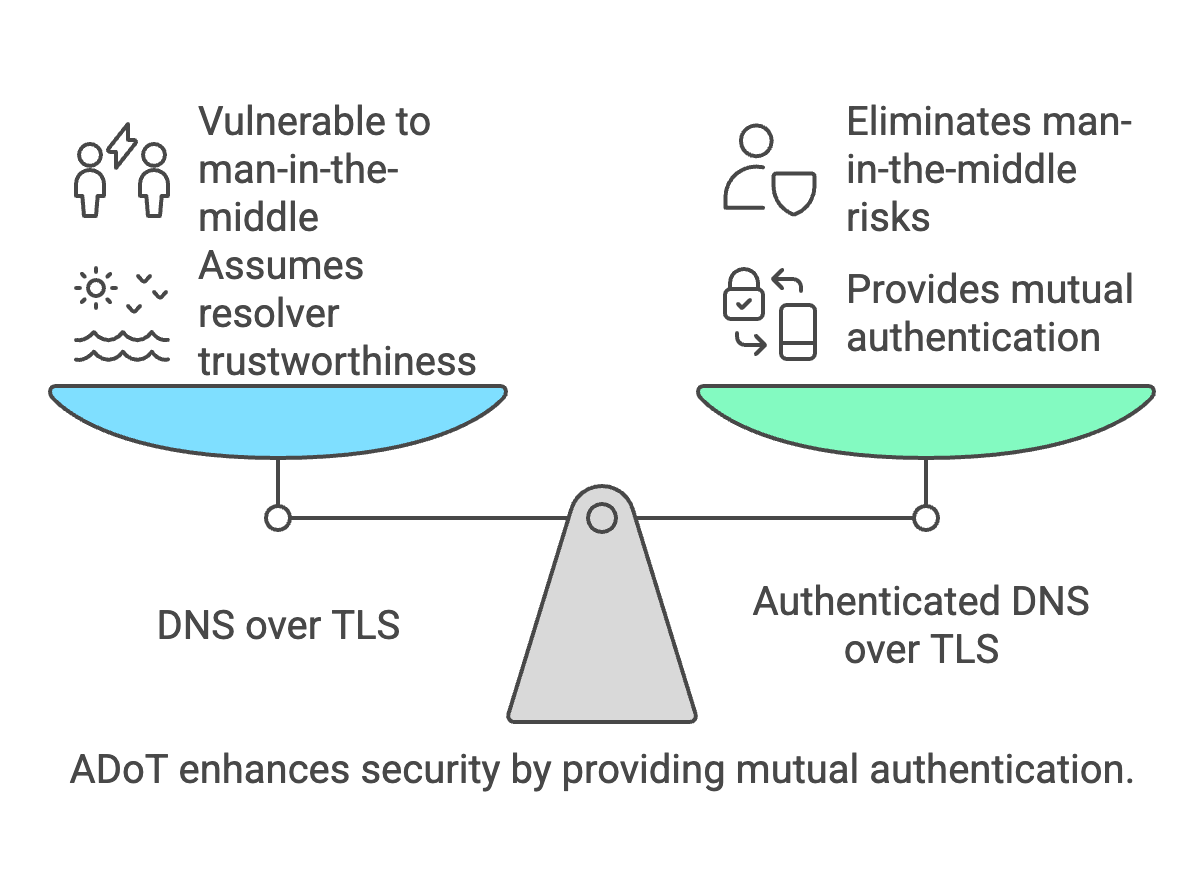
What ADoT really is
Authenticated DNS over TLS is simply:
DNS over TLS + mutual TLS authentication
This means both sides authenticate:
- Resolver proves identity (standard DoT)
- Client proves identity (ADoT addition)
This allows DNS access to be controlled based on device identity rather than network location.
Why operators deploy ADoT
ADoT solves problems such as:
- Preventing unauthorized resolver usage
- Enforcing Protective DNS policies
- Identity-based DNS filtering
- Roaming device protection
- Zero-trust DNS architectures
Real world architecture
Typical deployment:
Device → DoT (mTLS) → Authenticated resolver → Internet
Required components:
- DoT capable resolver
- PKI or certificate authority
- Client certificates
- TLS policy enforcement
Which DNS clients support ADoT
ADoT requires DNS clients capable of mutual TLS.
Common engineering choices:
Linux / infrastructure tools
- Stubby (getdns)
- Unbound forward-tls
- Knot Resolver
- dnsdist forwarding client
- Custom Go/Rust agents
Enterprise deployment methods
- VPN clients with DNS forwarding
- Endpoint security agents
- Managed IoT gateways
- Corporate DNS agents
Operating system reality
Most consumer OS DoT implementations:
- Android Private DNS → no client authentication
- iOS encrypted DNS → no client authentication
- Windows DoH → no client authentication
- macOS DoH → no client authentication
Because of this ADoT is usually deployed through DNS agents rather than native OS DNS stacks.
Testing DNS over TLS yourself
Example using kdig:
kdig @1.1.1.1 +tls-ca +tls-host=cloudflare-dns.com example.com
Testing DoT on port 853:
kdig @9.9.9.9 +tls-ca +tls-host=dns.quad9.net example.com
Testing TLS handshake manually
Example:
openssl s_client -connect 1.1.1.1:853
This verifies:
- TLS support
- Certificate chain
- Encryption capability
How ADoT testing differs
ADoT requires client certificate presentation.
Example concept:
kdig @resolver.example.net \
+tls-ca \
+tls-cert=client.crt \
+tls-key=client.key \
example.com
This demonstrates mutual authentication.
(Requires resolver configured for client certificates.)
Example enterprise deployment workflow
Typical workflow:
- Generate internal CA
- Issue device certificates
- Configure resolver trust store
- Deploy DNS client configuration
- Apply DNS policies per identity
ISP deployment example
Possible ISP model:
- Customer device certificate issued
- Resolver requires authentication
- DNS filtering tied to certificate identity
- Roaming protection enabled
When to use ADoT instead of DoH
Use ADoT when:
- Device identity matters
- Access must be restricted
- Enterprise deployment
- ISP managed DNS
- Zero trust environments
Use DoH when:
- Bypassing censorship required
- Browser privacy focus
- Public resolver usage
ADoT vs WireGuard vs DoH for roaming DNS protection
Organizations protecting roaming devices typically choose between three main approaches:
- Authenticated DNS over TLS (ADoT)
- WireGuard VPN tunnels
- DNS over HTTPS (DoH)
Each approach protects DNS differently and operates at different network layers.
Architecture comparison
| Technology |
Layer |
What it protects |
Typical use |
| ADoT |
DNS layer |
DNS queries + client identity |
Enterprise DNS control |
| WireGuard |
Network layer |
All traffic |
Full tunnel protection |
| DoH |
Application layer |
DNS queries |
Privacy DNS |
When ADoT is the best choice
ADoT is ideal when:
- Only DNS must be controlled
- Device identity must be verified
- Low overhead is required
- No full VPN tunnel desired
- DNS policies must follow the device
When WireGuard is the best choice
WireGuard is better when:
- Full traffic protection required
- Applications must be protected
- Internal services must be reachable
- Network segmentation required
- Zero trust network architecture used
When DoH is the best choice
DoH is useful when:
- DNS privacy is the only concern
- Browser traffic must be protected
- Public resolver usage acceptable
- Firewall traversal required
Operational differences
ADoT advantages:
- Low bandwidth overhead
- No tunnel maintenance
- Identity based access
- Simple architecture
WireGuard advantages:
- Complete protection
- Network level control
- Strong cryptography
- Predictable routing
DoH advantages:
- Works through restrictive networks
- Easy deployment
- Browser native support
Typical roaming DNS deployment models
Security architectures often combine these technologies:
- ADoT for DNS policy enforcement
- WireGuard for sensitive users
- DoH fallback for restrictive networks
This layered approach balances security, performance and usability.
Engineering perspective
From a DNS operator perspective:
- WireGuard solves networking problems
- DoH solves privacy problems
- ADoT solves identity and policy problems
This makes ADoT particularly attractive for DNS security platforms.
Performance considerations
- ADoT typically adds minimal latency
- DoH may add HTTP overhead
- WireGuard adds encryption overhead for all traffic
For DNS-only protection ADoT often provides the best performance-to-security ratio.
Frequently Asked Questions
Is ADoT a new protocol?
No. It is DNS over TLS using mutual TLS authentication.
Is ADoT widely deployed?
It is mainly used in controlled environments such as enterprise
networks and ISP security deployments.
Does ADoT replace DNSSEC?
No. DNSSEC protects integrity while ADoT protects transport and access.
Can IoT devices use ADoT?
Yes when deployed through IoT gateways or security agents.
Related DNS security topics